Content
align="center">
<br />
<br />
<img src="logo.svg" alt="Xiaozhi Client" width="400" height="100" />
<br />
<br />
<br />
</div>
<div align="center">
<a href="https://www.npmjs.com/package/xiaozhi-client" target="_blank"><img src="https://img.shields.io/npm/v/xiaozhi-client" alt="npm version" /></a>
<a href="https://codecov.io/gh/shenjingnan/xiaozhi-client" target="_blank"><img src="https://codecov.io/gh/shenjingnan/xiaozhi-client/branch/main/graph/badge.svg" alt="codecov" /></a>
<a href="https://github.com/shenjingnan/xiaozhi-client/actions" target="_blank"><img src="https://github.com/shenjingnan/xiaozhi-client/workflows/Release/badge.svg" alt="ci" /></a>
<a href="https://hub.docker.com/r/shenjingnan/xiaozhi-client" target="_blank"><img src="https://img.shields.io/badge/Docker-Ready-2496ED?style=flat&logo=docker&logoColor=white" alt="Docker: Ready" /></a>
<a href="https://opensource.org/licenses/MIT" target="_blank"><img src="https://img.shields.io/badge/License-MIT-green.svg" alt="License: MIT" /></a>
<a href="https://img.shields.io/badge/AI%20Code-90%25%2B-84cc16" target="_blank"><img src="https://img.shields.io/badge/AI%20Code-90%25%2B-84cc16" alt="AI Code: 80%" /></a>
<br />
<a href="http://xiaozhi.me" target="_blank"><img src="https://img.shields.io/badge/Xiaozhi%20AI-Supported-84cc16?style=flat" alt="Xiaozhi AI: Supported" /></a>
<a href="https://www.modelscope.cn/mcp" target="_blank"><img src="https://img.shields.io/badge/ModelScope-Supported-84cc16?style=flat" alt="ModelScope: Supported" /></a>
<a href="https://www.coze.cn/" target="_blank"><img src="https://img.shields.io/badge/Coze-Supported-84cc16?style=flat" alt="Coze: Supported" /></a>
<a href="https://dify.ai/" target="_blank"><img src="https://img.shields.io/badge/Dify-Supported-84cc16?style=flat" alt="Dify: Supported" /></a>
<a href="https://img.shields.io/badge/MCP%20Server-Supported-84cc16?style=flat" target="_blank"><img src="https://img.shields.io/badge/MCP%20Server-Supported-84cc16?style=flat" alt="MCP Server: Supported" /></a>
</div>
## Features
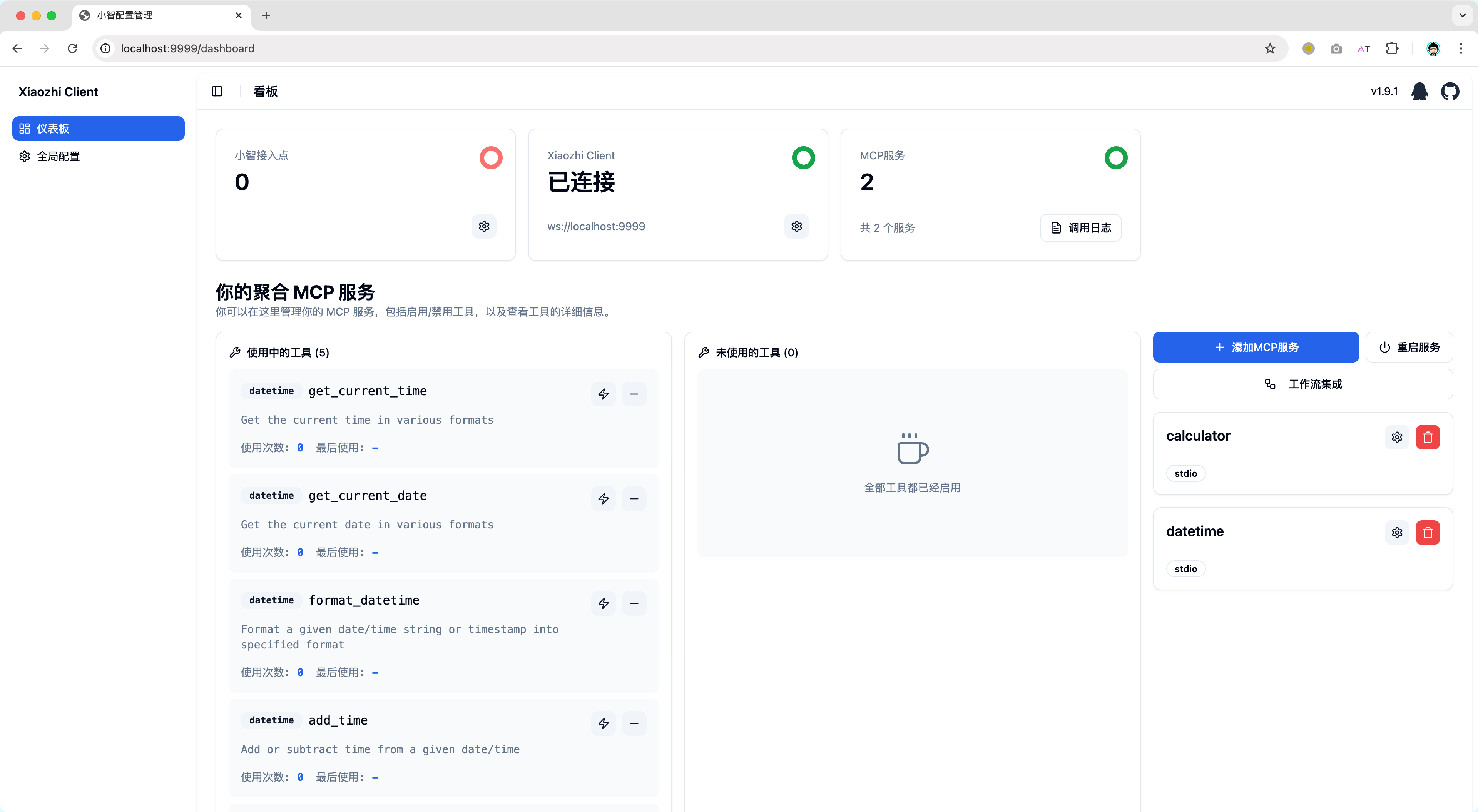
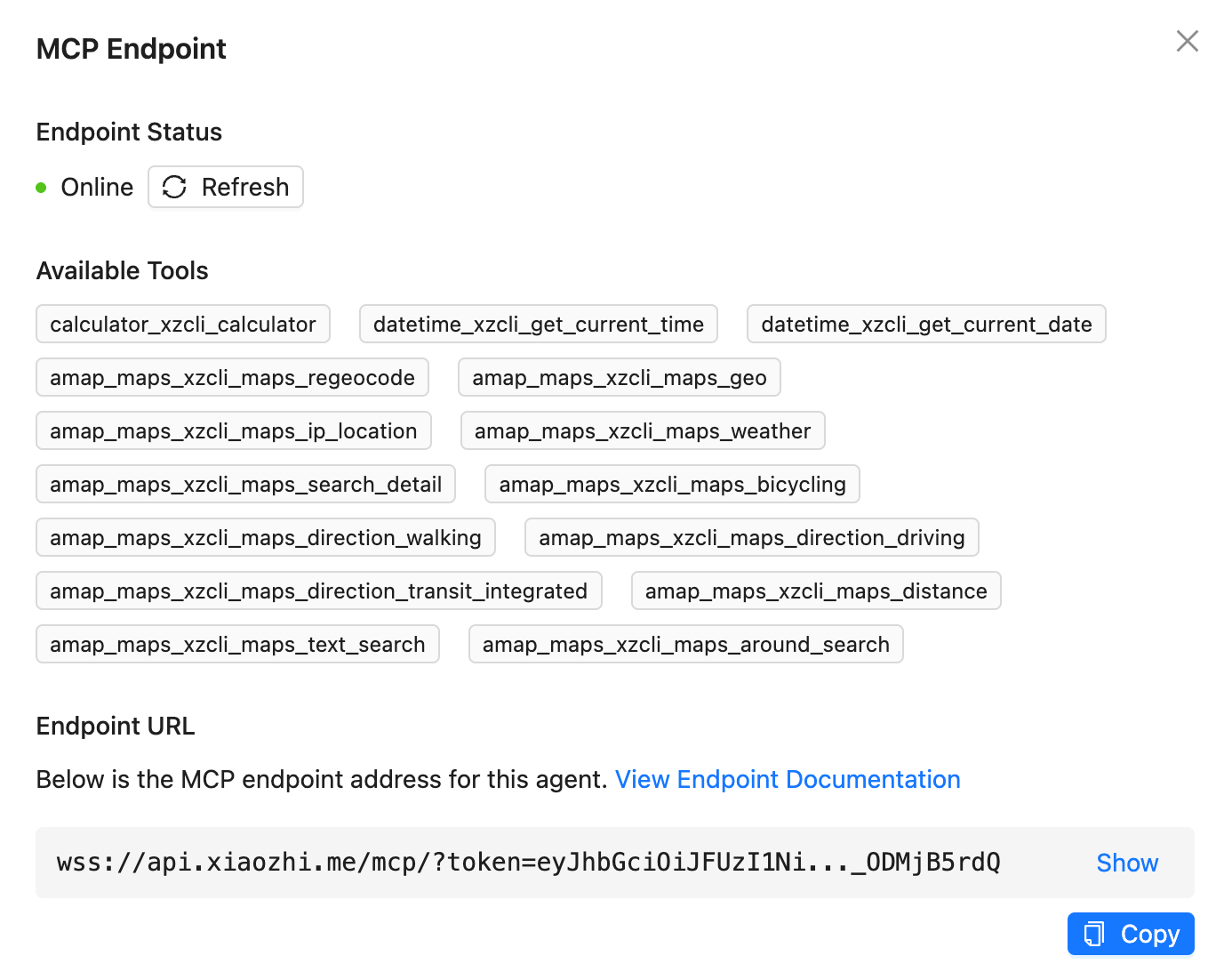
- Supports Xiaozhi official server connection points
- Supports integration as a regular MCP Server with Cursor/Cherry Studio and other clients
- Supports configuring multiple Xiaozhi connection points to share one MCP configuration
- Supports aggregating multiple MCP Servers in a standard way
- Supports dynamic control of MCP Server tool visibility to avoid exceptions due to too many useless tools
- Supports localized deployment of open-source server integration, allowing you to use the same RPC communication as Xiaozhi's official server or directly use standard MCP integration
- Supports web-based visualization configuration (allows custom IP and port, you can deploy xiaozhi-client on device A and control it through a web page on device B)
- Supports integration with ModelScope's remote MCP service
- Supports creating xiaozhi-client projects using templates (xiaozhi create \<my-app\> --template \<template-name\>)
- Supports running in the background (xiaozhi start -d)
## Getting Started
You can read the documentation at [xiaozhi-client.shenjingnan.com](https://xiaozhi-client.shenjingnan.com) to get started quickly!
### Local Installation
> Prerequisites: Please complete the installation of Node.js >=22 (recommended 24) and pnpm
```bash
# Install
pnpm install -g xiaozhi-client
# Create an application
xiaozhi create my-app
# Enter the application directory
cd my-app
# Install dependencies
pnpm install
# Xiaozhi AI configuration MCP connection point [usage instructions](https://ccnphfhqs21z.feishu.cn/wiki/HiPEwZ37XiitnwktX13cEM5KnSb)
xiaozhi config set mcpEndpoint "<MCP endpoint address obtained from Xiaozhi server>"
# Start the service
xiaozhi start
# Open http://localhost:9999 in your browser. If you are deploying on a NAS, use http://<deployment device IP address>:9999
```
### Running with Docker
We provide a pre-configured Docker image to quickly start the xiaozhi-client environment.
#### Prerequisites
- Docker installed
- Xiaozhi connection point address obtained (see [Xiaozhi AI Configuration MCP Connection Point Usage Instructions](https://ccnphfhqs21z.feishu.cn/wiki/HiPEwZ37XiitnwktX13cEM5KnSb))
#### Quick Start
##### Method 1: Using the startup script (recommended)
```bash
curl -fsSL https://raw.githubusercontent.com/shenjingnan/xiaozhi-client/main/docker/scripts/start.sh | bash
```
> If you cannot access `Github`, you can use `Gitee` instead
```bash
curl -fsSL https://gitee.com/shenjingnan/xiaozhi-client/raw/main/docker/scripts/start.sh | bash
```
##### Method 2: Using Docker Compose
Get the docker-compose.yml file:
```bash
curl -O https://raw.githubusercontent.com/shenjingnan/xiaozhi-client/main/docker/docker-compose.yml
```
> If you cannot access `Github`, you can use `Gitee` instead
```bash
curl -O https://gitee.com/shenjingnan/xiaozhi-client/raw/main/docker/docker-compose.yml
```
```bash
# Start using Docker Compose
docker-compose up -d
# View logs
docker-compose logs -f
# Stop the service
docker-compose down
```
## Contributors


